Welcome to AR-327 !!
Today's learning objectives:
- Understand what a transformation is
- Learn how to construct and apply transformations
Transformations
What is a transformation?
What is a transformation?
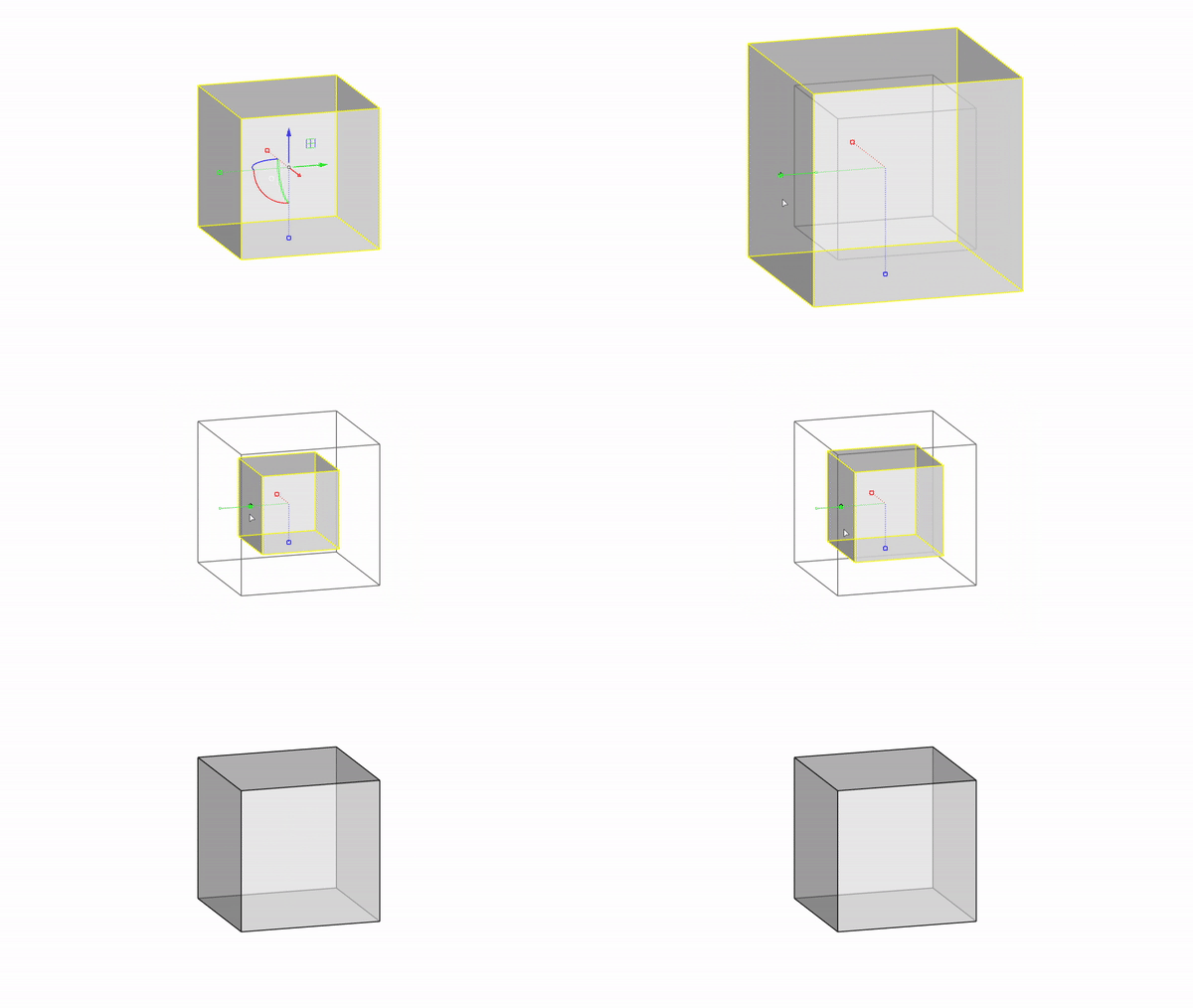
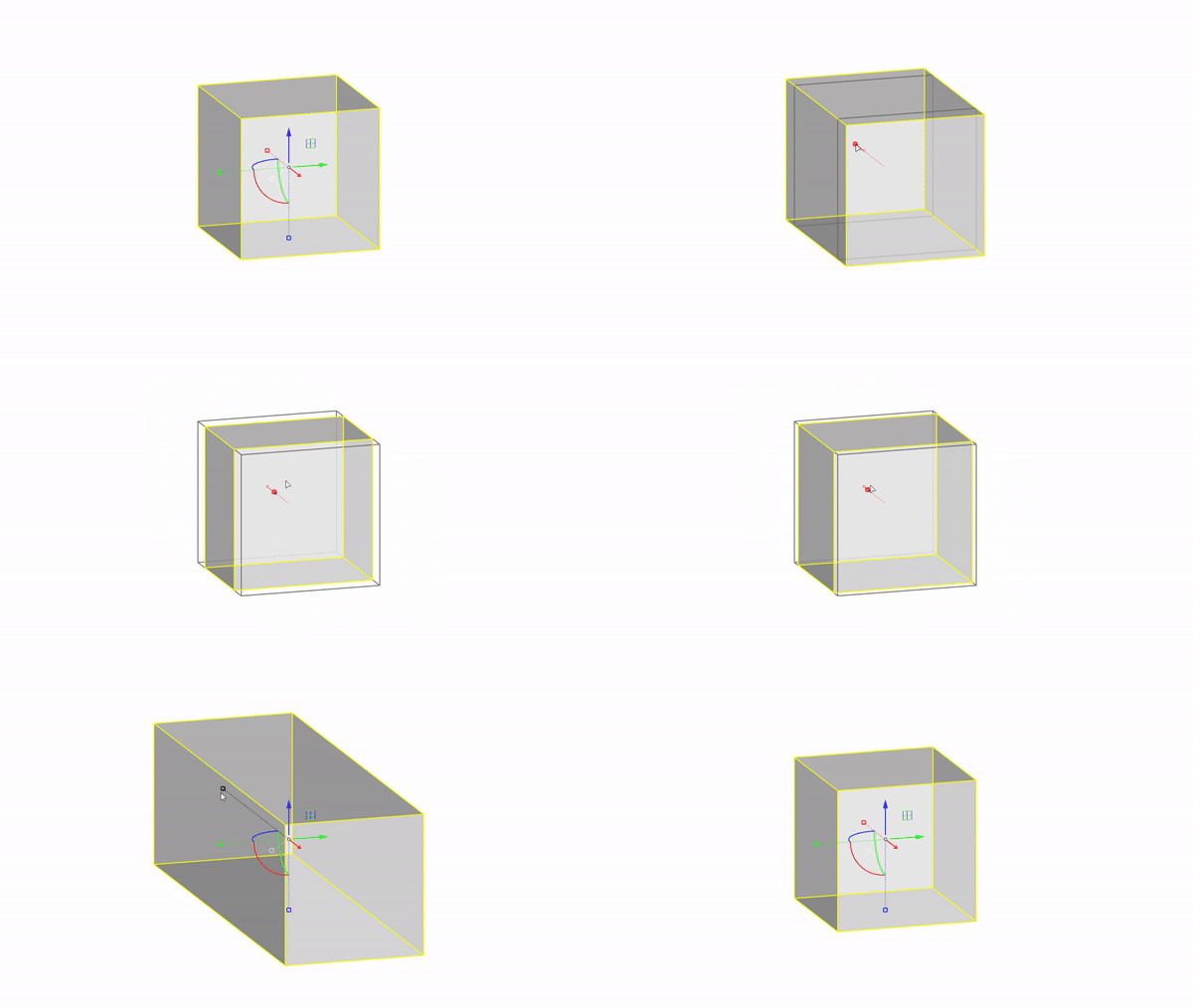
What is a transformation?
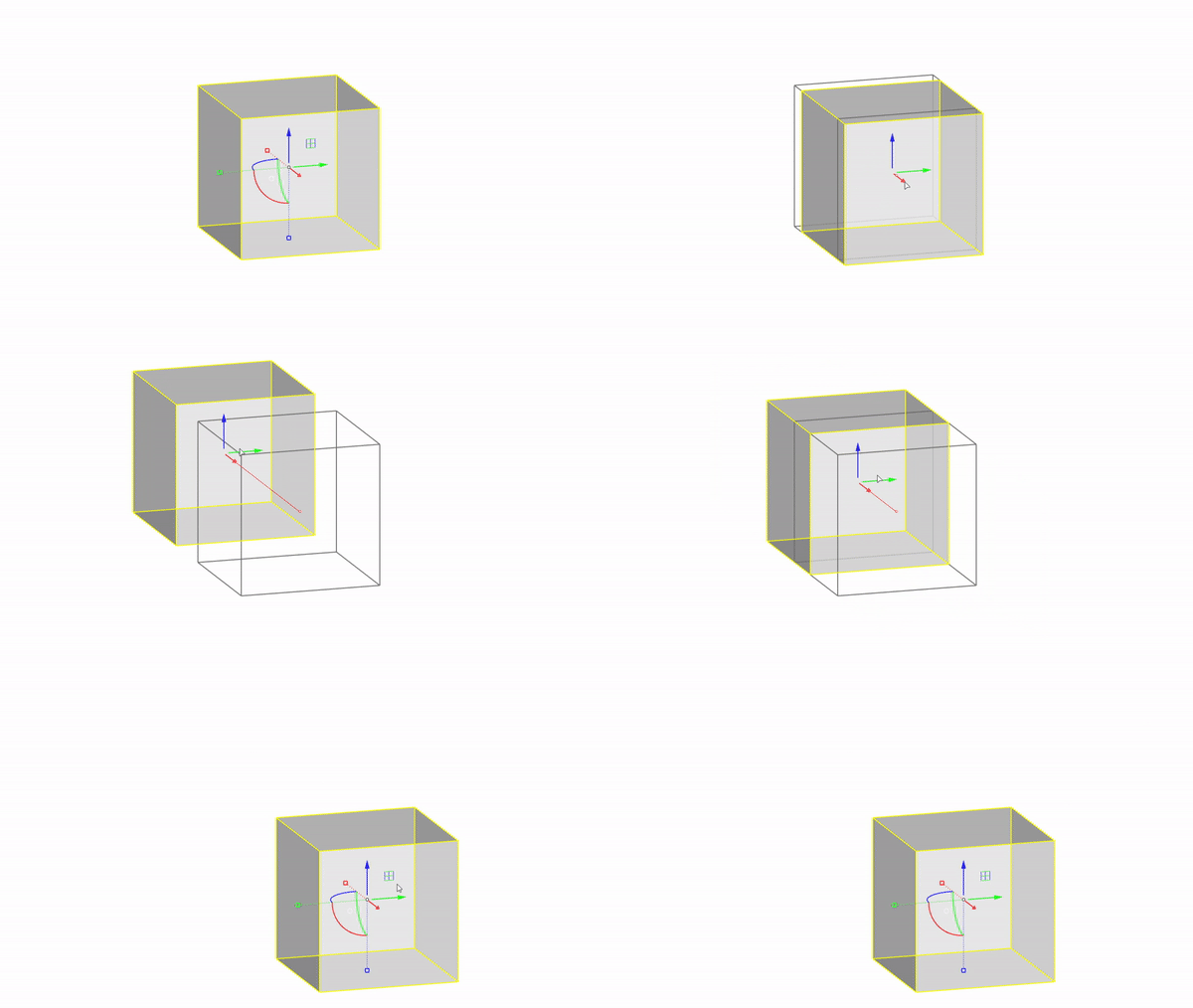
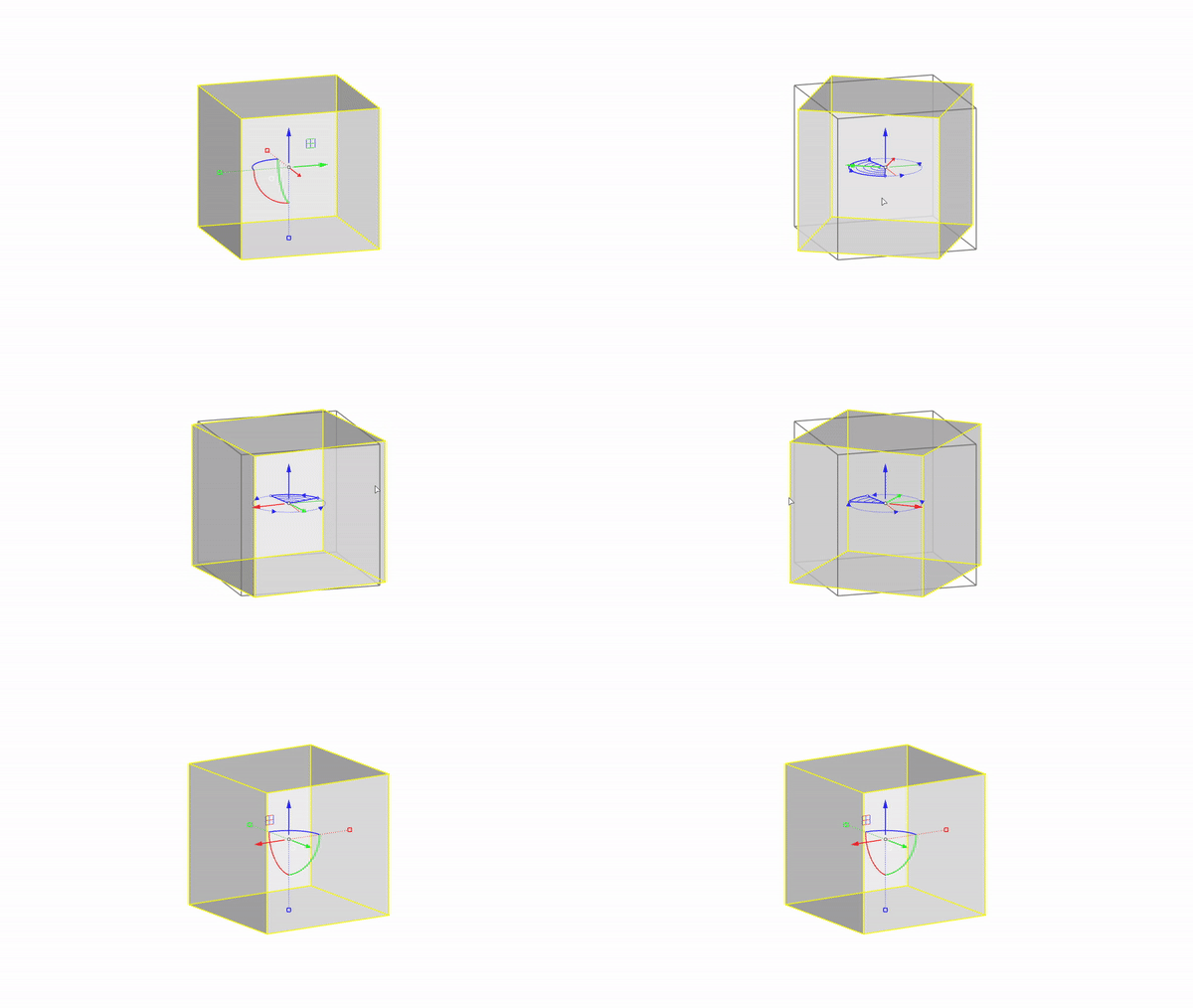
A transformation is an operation that changes the position, orientation, or scale of a geometry.
Translations
What is a translation ?
What is a translation ?
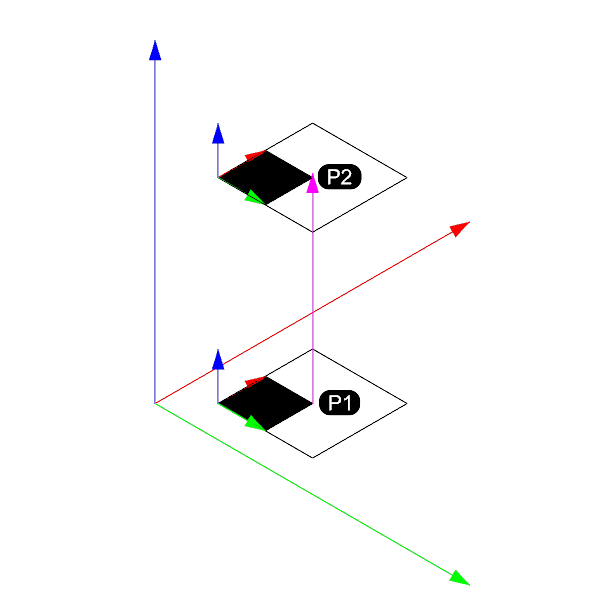
A translation is a transformation that moves a geometry from one position to another without changing its orientation or scale.What is a translation ?
A translation is a transformation that moves a geometry from one position to another without changing its orientation or scale. This translation is usually defined with a vector.What is a translation ?
How to create and apply a translation ?
            import Rhino

            # create a rectangle
            rectangle = Rhino.Geometry.Rectangle3d(Rhino.Geometry.Plane.WorldXY, 10, 10)

            # create a translation transformation
            translation_vector = Rhino.Geometry.Vector3d(10, 0, 0)
            translation = Rhino.Geometry.Transform.Translation(translation_vector)

            # transform the rectangle
            rectangle.Transform(translation)
Exercice on translations (15 min)
Go to the translation page and solve the exercise 01 with the associated 3dm.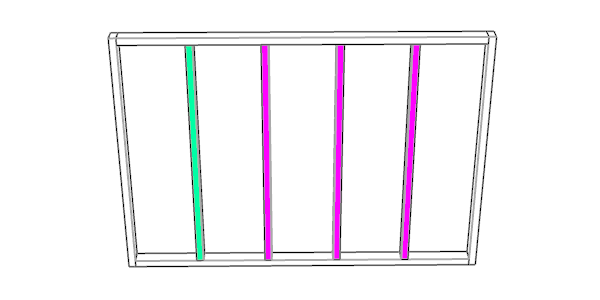
Rotations
What is a rotation ?
What is a rotation ?
A rotation is a transformation that rotates a geometry around an axis by a certain angle.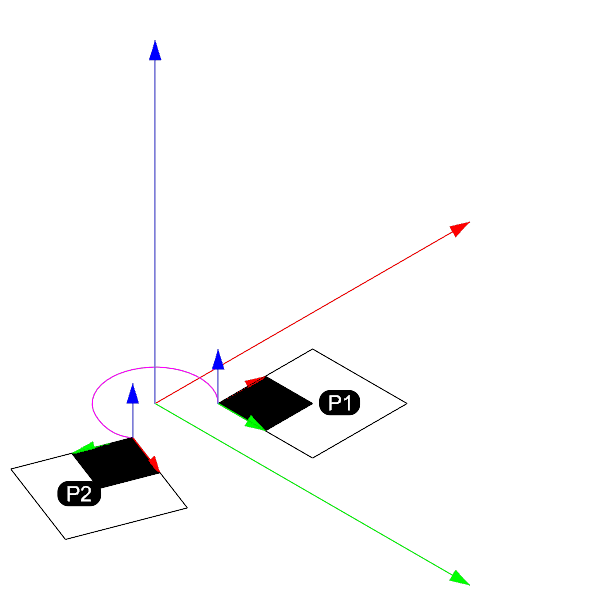
How to create and apply a rotation ?
            import Rhino
            import math

            # create a rectangle
            rectangle = Rhino.Geometry.Rectangle3d(Rhino.Geometry.Plane.WorldXY, 10, 10)

            # create a rotation transformation
            rotation_angle = math.radians(45)
            rotation_axis = Rhino.Geometry.Vector3d(0, 0, 1)
            rotation_base_point = Rhino.Geometry.Point3d(0, 0, 0)
            rotation = Rhino.Geometry.Transform.Rotation(rotation_angle,
                                                         rotation_axis,
                                                         rotation_base_point)

            # transform the rectangle
            rectangle.Transform(rotation)
Exercice on rotations (20 min)
Go to the rotation page and solve the exercise 01 with the associated 3dm.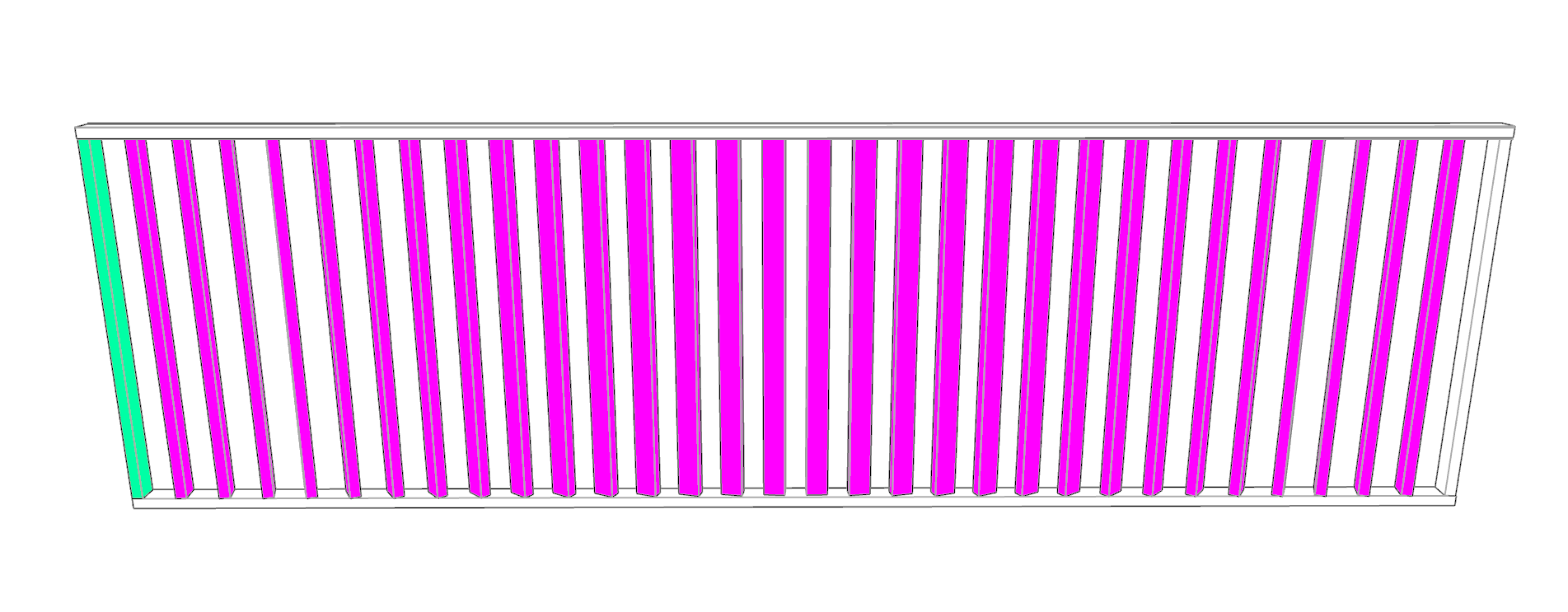
(uniform) Scaling
What is a (uniform) scaling ?
What is a (uniform) scaling ?
A (uniform) scaling is a transformation that scales a geometry by a certain factor in all directions.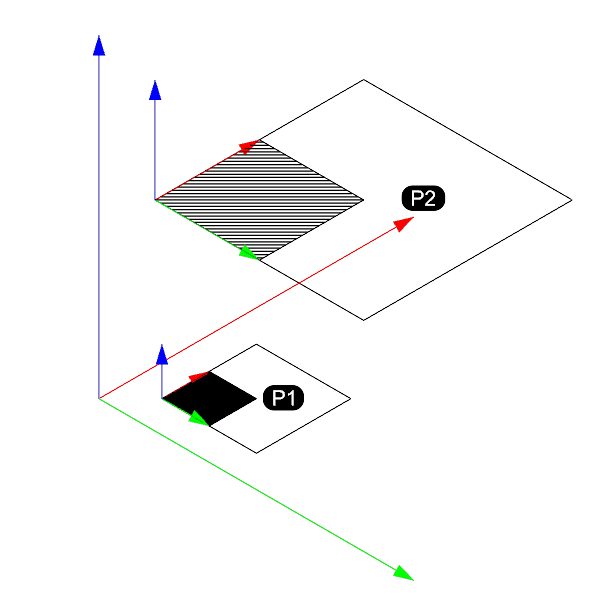
How to create and apply a scaling ?
            import Rhino

            # create a rectangle
            rectangle = Rhino.Geometry.Rectangle3d(Rhino.Geometry.Plane.WorldXY, 10, 10)

            # create a scaling transformation
            scaling_factor = 2
            scaling_base_point = Rhino.Geometry.Point3d(0, 0, 0)
            scaling = Rhino.Geometry.Transform.Scale(scaling_base_point, scaling_factor)

            # transform the rectangle
            rectangle.Transform(scaling)
Plane to plane transformation
What is a plane to plane transformation ?
What is a plane to plane transformation ?
is a transformation that calculates the transformation from a source plane and a target plane, and applies it to a given geometry.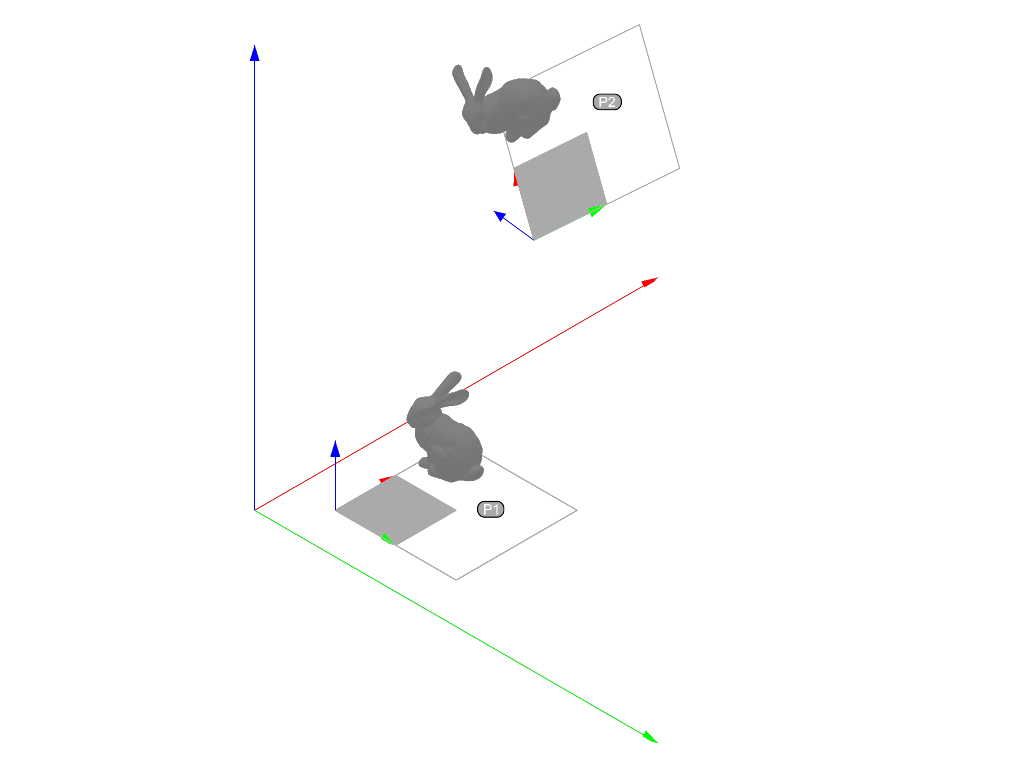
How to create and apply a plane to plane transformation ?
            import Rhino

            source_pln = Rhino.Geometry.Plane.WorldXY

            target_pln = Rhino.Geometry.Plane(Rhino.Geometry.Point3d(10, 10, 0),  # origin
                                     Rhino.Geometry.Point3d(8, 5, 23),   # x axis
                                     Rhino.Geometry.Point3d(12, 4, 0))   # y axis

            rectangle = Rhino.Geometry.Rectangle3d(source_pln, 10, 10)

            xform_pln_2_pln = Rhino.Geometry.Transform.PlaneToPlane(source_pln, target_pln)

            rectangle.Transform(xform_pln_2_pln)
Exercice on plane to plane transformation (25 min)
Go to the plane to plane transformation page and solve the exercise 01 with the associated 3dm.