Welcome to AR-327 !!
Today's learning objectives:
- Understand what a module is
- Understand what a library is
- Know the difference between modules and libraries
- Get familiar with the RhinoCommon library (Rhino's geometry library)
Modules
Modules
What are modules ?
Modules
What are modules ?
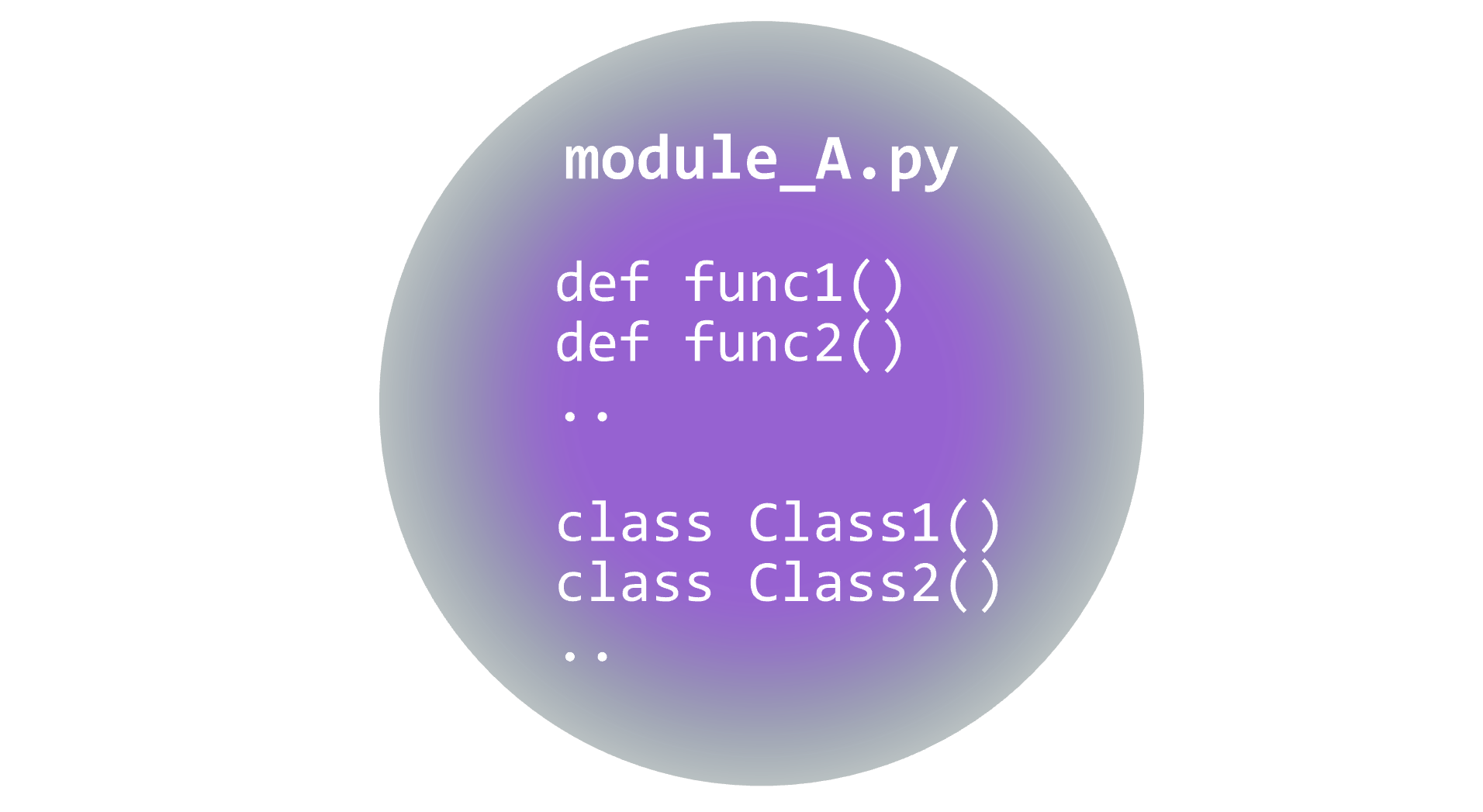
a module is a collection of functions and classes in a separate .py file that can be imported and used in your scripts.
Modules
Modules
In general we make different modules for different aspects of our code:
                my_project/
                |
                |----main.py
                |----geometry_module.py
                |----IO_module.py
                |----utils_module.py
Modules
In general we make different modules for different aspects of our code:
io_module.py:
            """ This module contains the definitions for the in-out functions and classes """
            def read_from_file(filename: str):
                ...

            class IOClass():
                def __init__(self):
                    ...
main.py:
            import io_module

            my_super_important_filename = "./top_secret.txt"

            data = io_module.read_from_file(my_super_important_filename)
            my_io_class = io_module.IOClass()
Modules
In general we make different modules for different aspects of our code:
io_module.py:
            """ This module contains the definitions for the in-out functions and classes """
            def read_from_file(filename: str):
                ...

            class IOClass():
                def __init__(self):
                    ...
main.py:
            # We import all the definitions, we only need to implement/call the classes/functions
            import io_module

            my_super_important_filename = "./top_secret.txt"

            data = io_module.read_from_file(my_super_important_filename)
            my_io_class = io_module.IOClass()
Modules
main.py:
            # We can also import a module with an alias
            import io_module as io

            my_super_important_filename = "./top_secret.txt"

            data = io.read_from_file(my_super_important_filename)
            my_io_class = io.IOClass()
Modules
main.py:
            # We can also import only specific functions and classes
            # -> not recommanded because we loose track of where the function comes from
            from io_module import read_from_file

            my_super_important_filename = "./top_secret.txt"

            data = read_from_file(my_super_important_filename)
Modules
main.py:
            # better, but a bit complicated for nothing
            from io_module import read_from_file as io_read_from_file

            my_super_important_filename = "./top_secret.txt"

            data = io_read_from_file(my_super_important_filename)
Exercice on modules (10 min)
Go to the website's page on functions and solve the the first exercie
Libraries
Libraries
What are libraries ?
Libraries
What are libraries ?
A library is a collection of modules. It is a way to organize and distribute code.
Libraries
In this course, library == package. It is not exactly correct in python, but in the scope of this course, we will make this small simplification
Libraries
What are libraries ?
Python has an extensive standard library that you have already used:
            # some basic exemples of the python standard library
            print("Hello, world")

            list_length = len(my_list)

            for i in range(10):
                print(i)
We have never defined what print(), len(), or range() should do; someone did it for us in advance
Libraries
Other useful modules in python's standard library:
        import math

        result = math.sqrt(4)
        print(result)
        import System

        result = System.DateTime.Now
        print(result)
        import os

        result = os.getcwd()
        print(result)
        import random

        result = random.random()
        print(result)
Libraries
a single module:
Libraries
a library: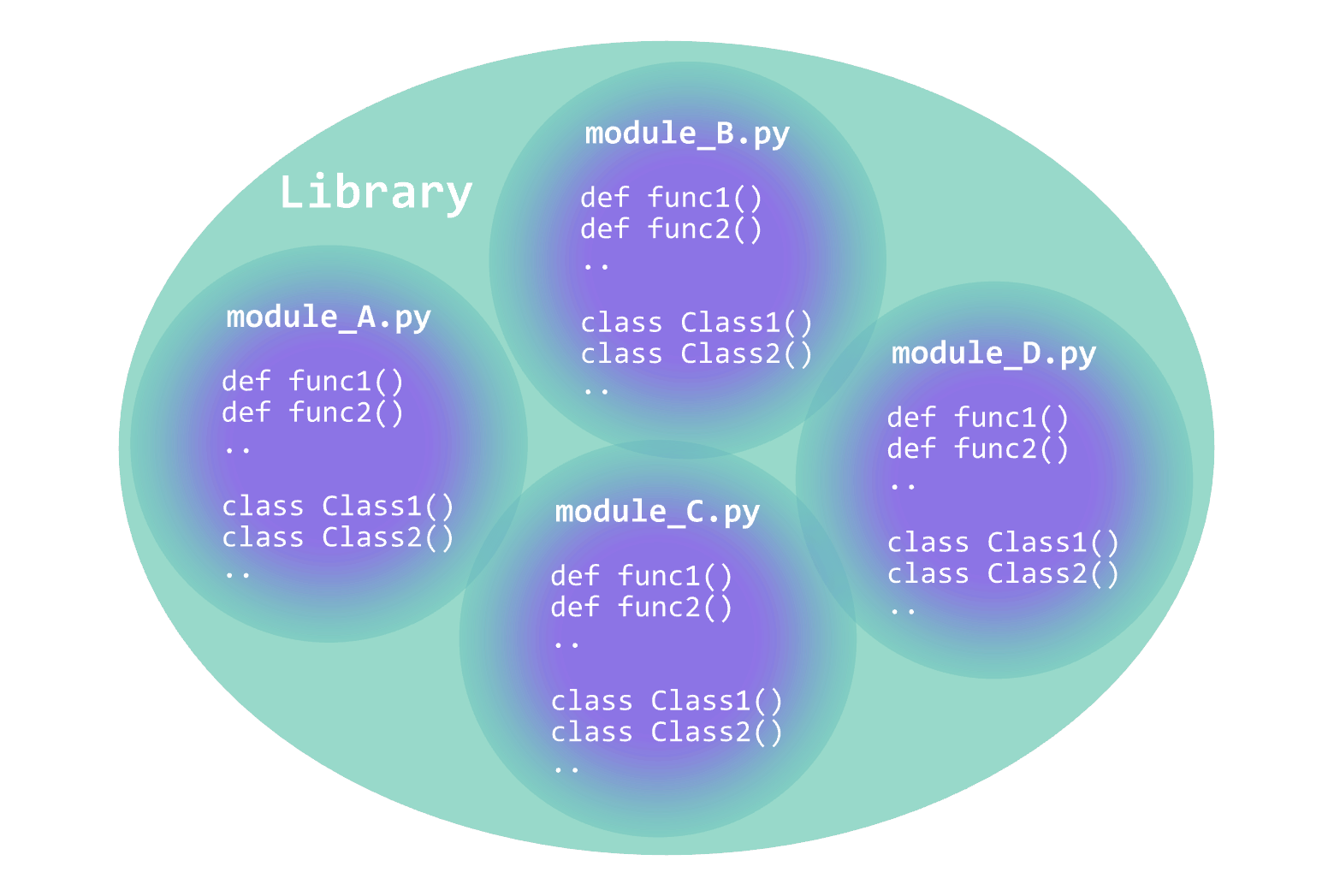
Libraries
            my_library/
            |
            |
            |----__init__.py
            |
            |----geometry_module.py
            |    |
            |    |---def do_geometric_stuff()
            |    |---class SomeGeometryClass()
            |
            |----IO_module.py
            |    |
            |    |---def read_some_data()
            |    |---class SomeIOClass()
            |
            |----utils_module.py
            |    |
            |    |---def do_useful_stuff()
            |    |---class SomeUtilClass()
Libraries
By creating a library, you centralize good quality code that can be used in muliple project
            my_library/
            |
            |
            |----__init__.py
            |
            |----geometry_module.py
            |    |
            |    |---def do_geometric_stuff()
            |    |---class SomeGeometryClass()
            |
            |----IO_module.py
            |    |
            |    |---def read_some_data()
            |    |---class SomeIOClass()
            |
            |----utils_module.py
            |    |
            |    |---def do_useful_stuff()
            |    |---class SomeUtilClass()
Libraries
The __init__.py is used to mark the folder as a library (it tells the python interpreter that "this is a library").It can contain basic information about the library such as author(s) and version.
            __version__ = "1.4.2"
            __authors__= "ar-327 2026 students"
Libraries
You can also pre-import modules of you library:__init__.py
            from . import geometry_module
            from . import io_module
            from . import utils_module

            __version__ = "1.4.2"
            __authors__= "ar-327 2026 students"
main.py
            import my_library

            file_content = my_library.io_module.read_file_content("./filename.txt")
Libraries
There is a lot of great libraries in python:



Libraries
For the rest of this course we will focalise on the RhinoCommon library: Rhino's main library: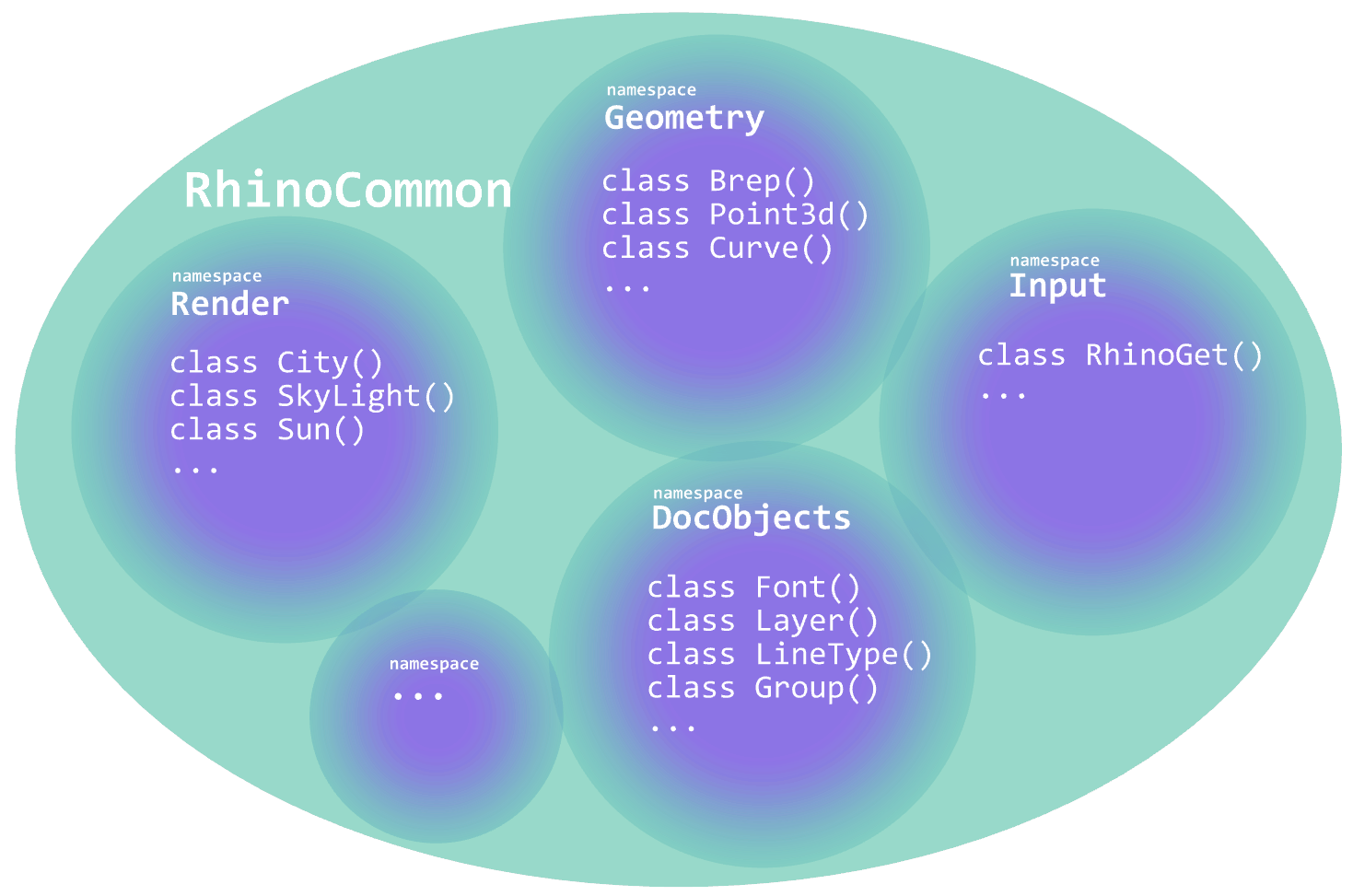
RhinoCommon
RhinoCommon
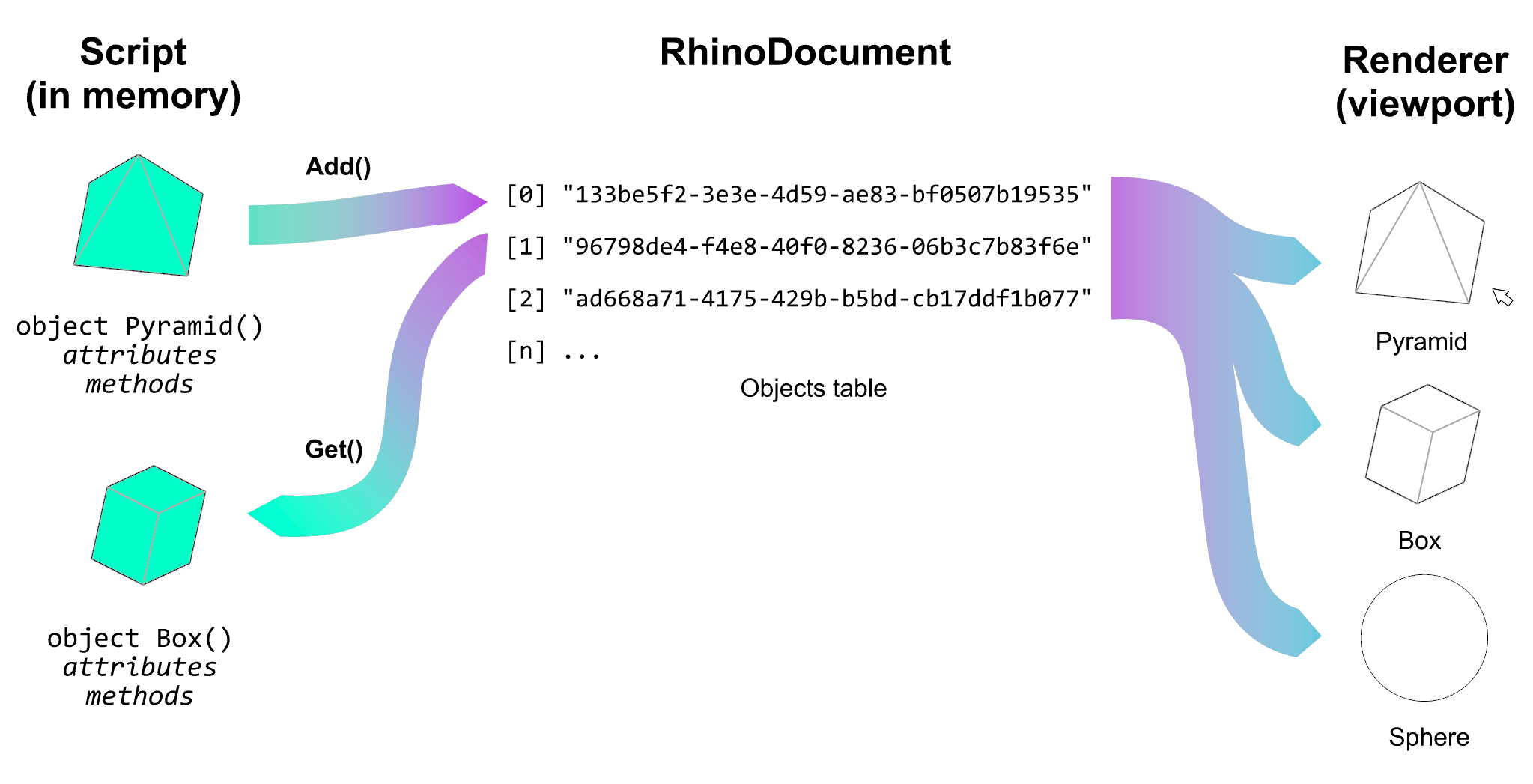
Before we get into the specifics of RhinoCommon, let's see together how geometry is managed in Rhino
RhinoCommon
RhinoCommon
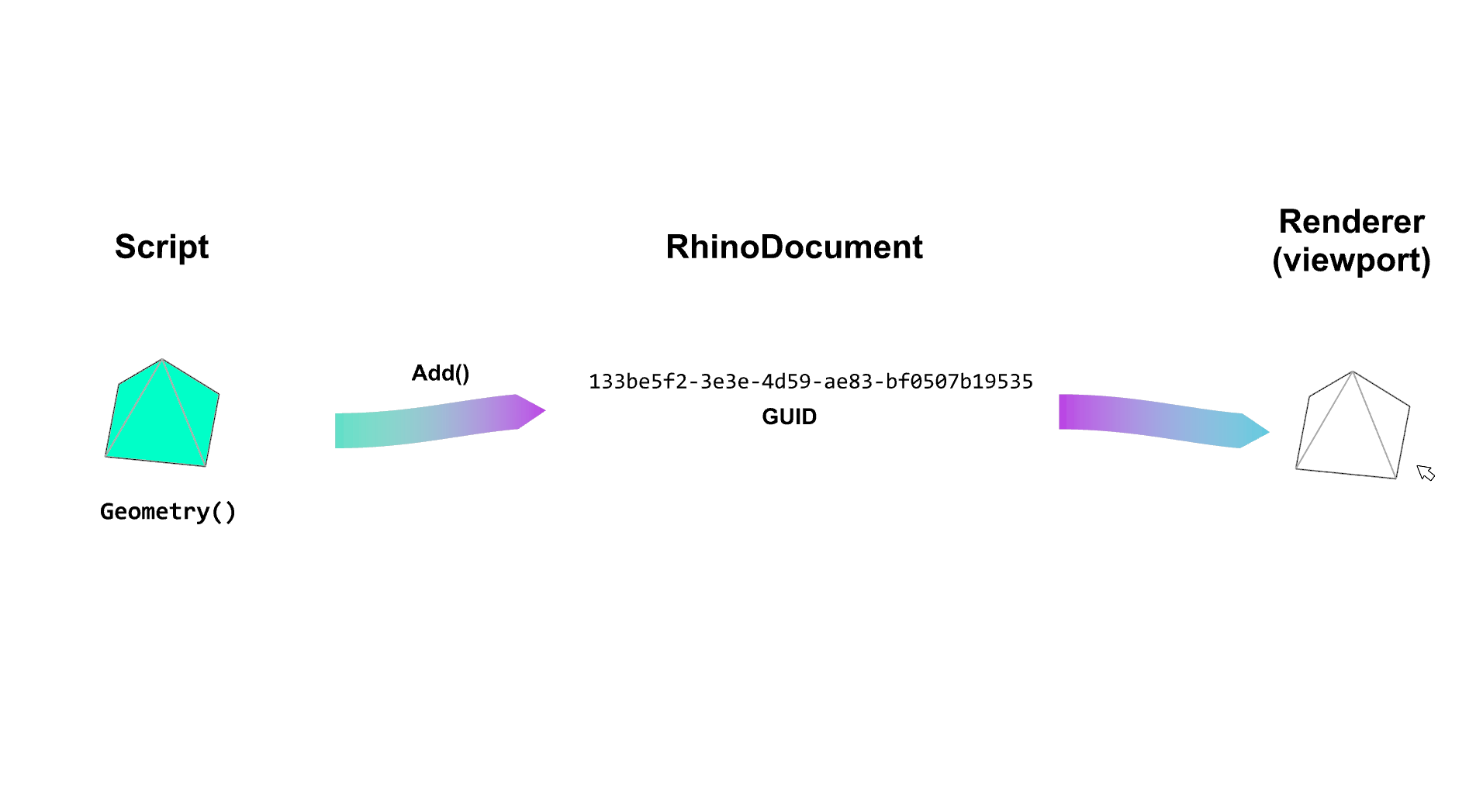
"133be5f2-e3e3-4d59-ea83-bf0507b19535" and co. are called Global Unique IDentifiers (GUIDs)
RhinoCommon
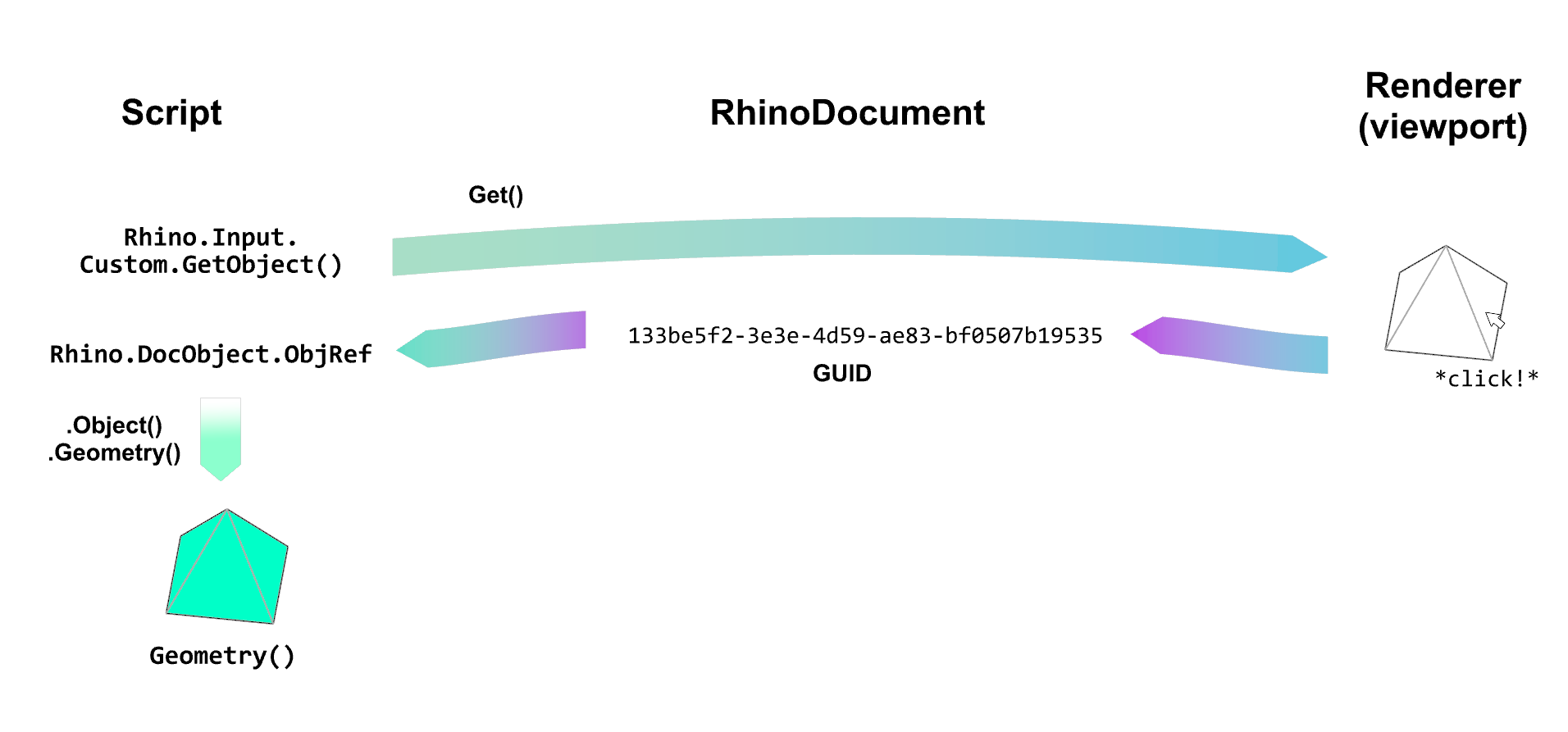
Is is very important to understand that there is a fundamental difference between the code that creates the geometry, the geometry table where the objects/geometries are stored, and the rendered geometries.
RhinoCommon
Let's see how to:
- Add objects
- Get objects
- Replace objects
- Delete objects
RhinoCommon: Add
RhinoCommon: Add
        import Rhino.Geometry as rg

        # create a geometric object in memory
        point = rg.Point3d(0,0,0)

        # get the current document
        active_doc = Rhino.RhinoDoc.ActiveDoc

        # if you want to add the object to the document
        guid_point = active_doc.Objects.AddPoint(point)
        print(guid_point) # System.Guid
RhinoCommon: Get
RhinoCommon: Get
            import Rhino

            # get the object from the document
            go = Rhino.Input.Custom.GetObject()
            go.SetCommandPrompt("Select point")
            go.GeometryFilter=Rhino.DocObjects.ObjectType.Point
            go.Get()

            # get the object reference of the first object selected
            obj_ref = go.Object(0)

            # cast the object reference to a point geometry object
            point = obj_ref.Point()
            print(type(point)) # "class 'Rhino.Geometry.Point'"
RhinoCommon: Replace
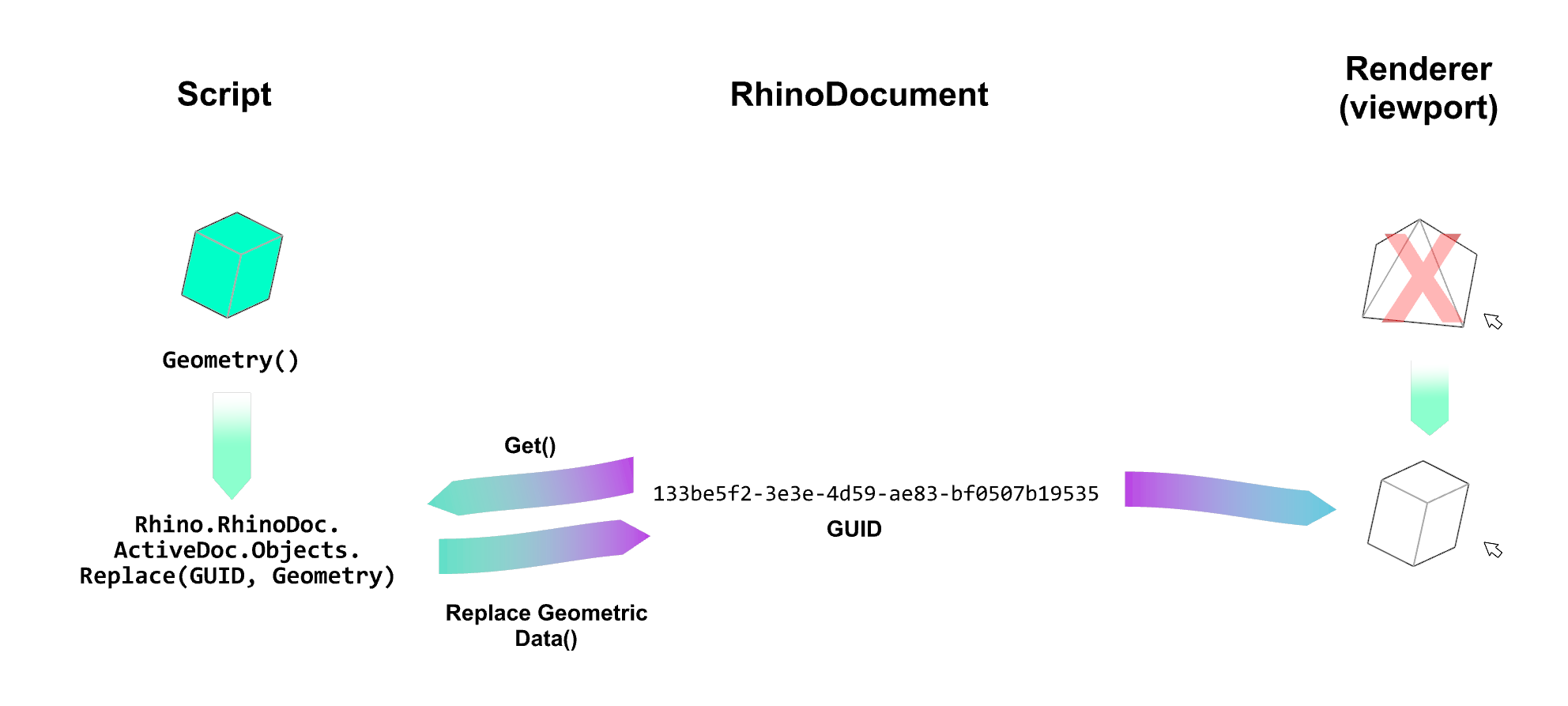
RhinoCommon: Replace
            import Rhino
            import Rhino.Geometry as rg

            # create a point
            point = rg.Point3d(0,0,0)

            # get the current document
            active_doc = Rhino.RhinoDoc.ActiveDoc

            # add the point to the document
            guid_point = active_doc.Objects.AddPoint(point)

            # modify the point
            point.X = 10

            # replace the point in the document
            active_doc.Objects.Replace(
                guid_point, # the guid of the object to replace
                point       # the new geometric object (in memeory)
            )
RhinoCommon: Delete
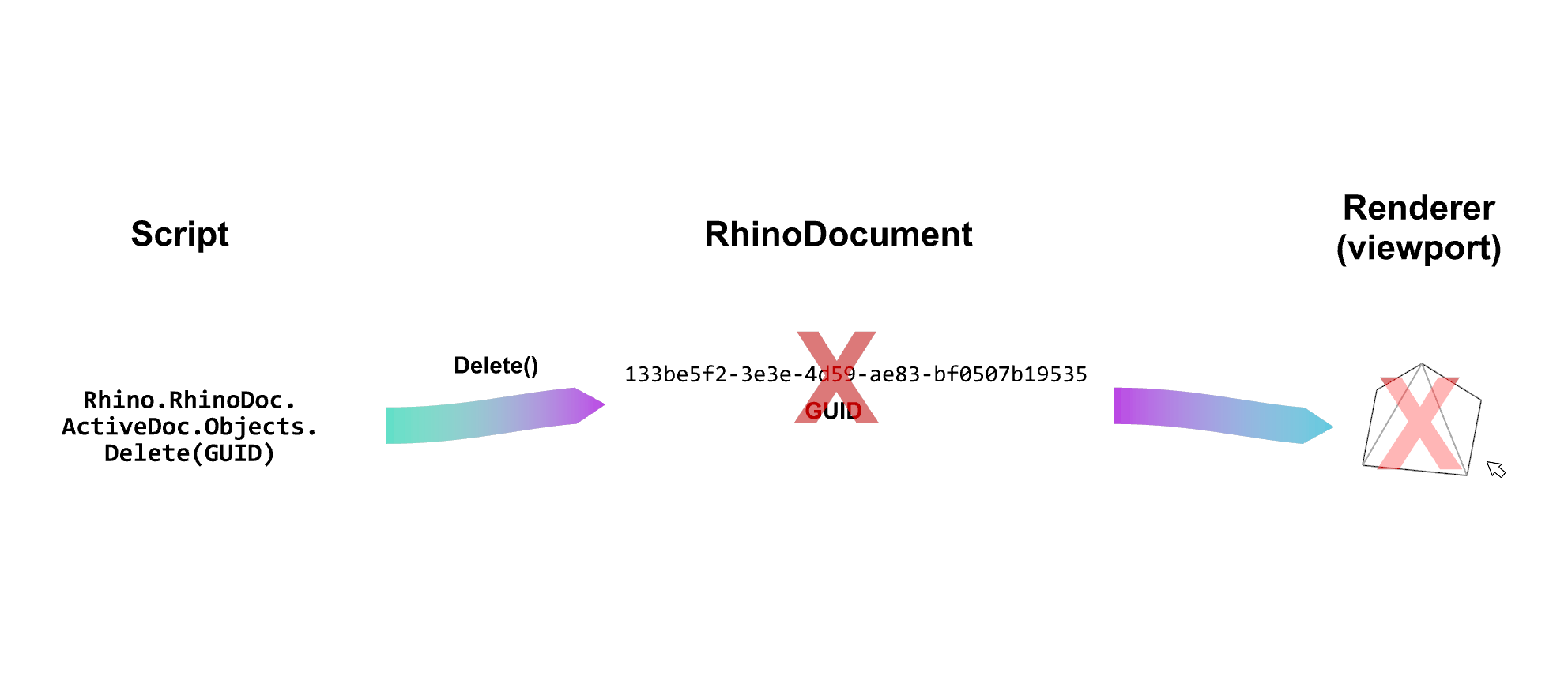
RhinoCommon: Delete
            import Rhino
            import Rhino.Geometry as rg

            # create two points
            point_A = rg.Point3d(0,0,0)

            # get the current document
            active_doc = Rhino.RhinoDoc.ActiveDoc

            # add the points to the document
            guid_point_A = active_doc.Objects.AddPoint(point_A)

            # delete the point_B from the document
            active_doc.Objects.Delete(guid_point_A, True)
Exercice on RhinoCommon (10 min)
Go to the website's page on RhinoCommon and solve the first exercie using this Rhino file
Library documentation
A documentation is a set of documents that provides information about a library, its features and how to use them.
Library documentation
Of course there is a complete documentation of RhinoCommon: