
Welcome to AR-327 !!
Today's learning objectives:
- Understand the usage of encapsulation
- Understand the usage of composition
- Get familiar with class inheritance
- Recognise magic methods for classes
From last course: Classes
Object-Oriented Programming (OOP)
When programming, we often need to represent concepts that cannot be represented with a single integer, a string, or even a dictionnary. We need something that can represent those concepts in a structured and repeatable way -> Hence the use of classesFrom last course: Classes
            class Beam:
                def __init__(self, length: float,
                                   width: float,
                                   height: float,
                                   material: str):
                    self.length = length
                    self.width = width
                    self.height = height
                    self.material = material

            my_super_beam = Beam(3000, 80, 160, "duo")
            print(my_super_beam.height)
OOP: Encapsulation
OOP: Encapsulation
What is encapsulation ?OOP: Encapsulation
Encapsulation is a way to restrict the direct access to some attributes or methods of a classOOP: Encapsulation
Encapsulation is a way to restrict the direct access to some attributes or methods of a classBut why would we want to restrict this access ?
OOP: Encapsulation
In the class we saw last week, all members were public
            class Beam:
                def __init__(self, length: float,
                                   width: float,
                                   height: float,
                                   material: str):
                    self.length = length
                    self.width = width
                    self.height = height
                    self.material = material

            my_super_beam = Beam(3000, 80, 160, "duo")
            print(my_super_beam.height) # No problem to access `height`
OOP: Encapsulation
We can make the attibutes protected
            class Beam:
                def __init__(self, length: float,
                                   width: float,
                                   height: float,
                                   material: str):
                    self._length = length
                    self._width = width
                    self._height = height
                    self._material = material

            my_super_beam = Beam(3000, 80, 160, "duo")
            print(my_super_beam._height)
OOP: Encapsulation
We can make the attibutes protected
            class Beam:
                def __init__(self, length: float,
                                   width: float,
                                   height: float,
                                   material: str):
                    self._length = length
                    self._width = width
                    self._height = height
                    self._material = material

            my_super_beam = Beam(3000, 80, 160, "duo")
            print(my_super_beam._height) # This will still work but "should not" be accessed
Adding `_` before the attribute name indicates that it is not supposed to be publicly accessed
OOP: Encapsulation
We can also make the attibutes private
            class Beam:
                def __init__(self, length: float,
                                   width: float,
                                   height: float,
                                   material: str):
                    self.__length = length
                    self.__width = width
                    self.__height = height
                    self.__material = material

            my_super_beam = Beam(3000, 80, 160, "duo")
            print(my_super_beam._height) # This will not work
Adding `__` before the attribute name makes it not publicly accessible
OOP: Encapsulation
The three levels of access are thus:OOP: Composition
OOP: Composition
What is composition?OOP: Composition
It is when you use an instance of a class (= object) as attribute for another class.OOP: Composition
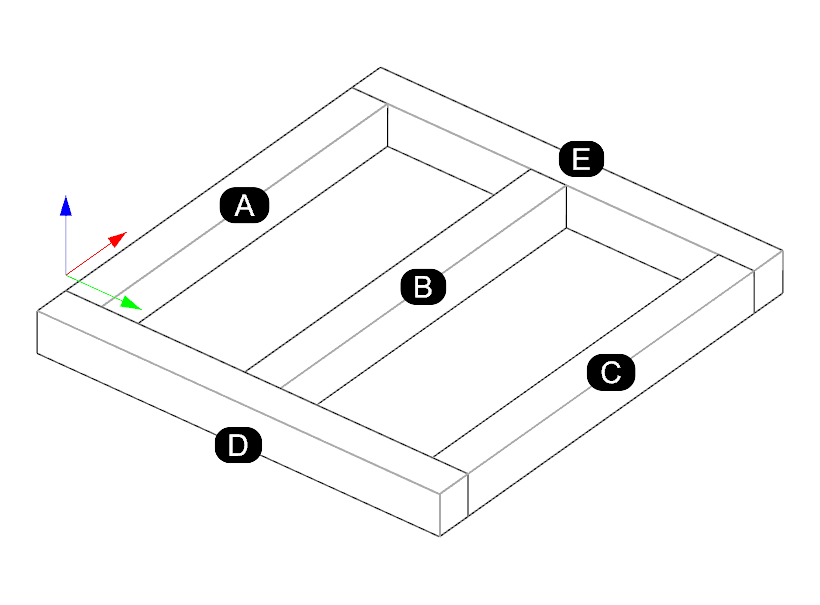
When to use it ?Let's see the example of a timber frame:
OOP: Composition
When to use it ?Let's see the example of a timber frame:
            class Beam:
                def __init__(self,
                             length: float,
                             width: float,
                             height: float):
                    self.__length = length
                    self.__width = width
                    self.__height = height

            class Frame:
                def __init__(self, beams: list[Beam]):
                    self.beams = beams
                    self.n_beams = len(beams)
OOP: Composition
When to use it ?Let's see the example of a timber frame:
            class Beam:
                def __init__(self,
                             length: float,
                             width: float,
                             height: float):
                    self.__length = length
                    self.__width = width
                    self.__height = height

            class Frame:
                def __init__(self, beams: list[Beam]):
                    self.beams = beams
                    self.n_beams = len(beams)


            beam_1 = Beam(10.0, 0.3, 0.5)
            beam_2 = Beam(12.0, 0.4, 0.6)
            frame = Frame([beam_1, beam_2])
            print(f"Frame has {frame.n_beams} beams.")
Exercice: composition
- Open Rhino's Python Editor
- From the website, go to the "oop-composition" page and download the exercice 01 at the bottom of the page
- Solve the exercice
OOP: Inheritance
OOP: Inheritance
What is inheritance ?OOP: Inheritance
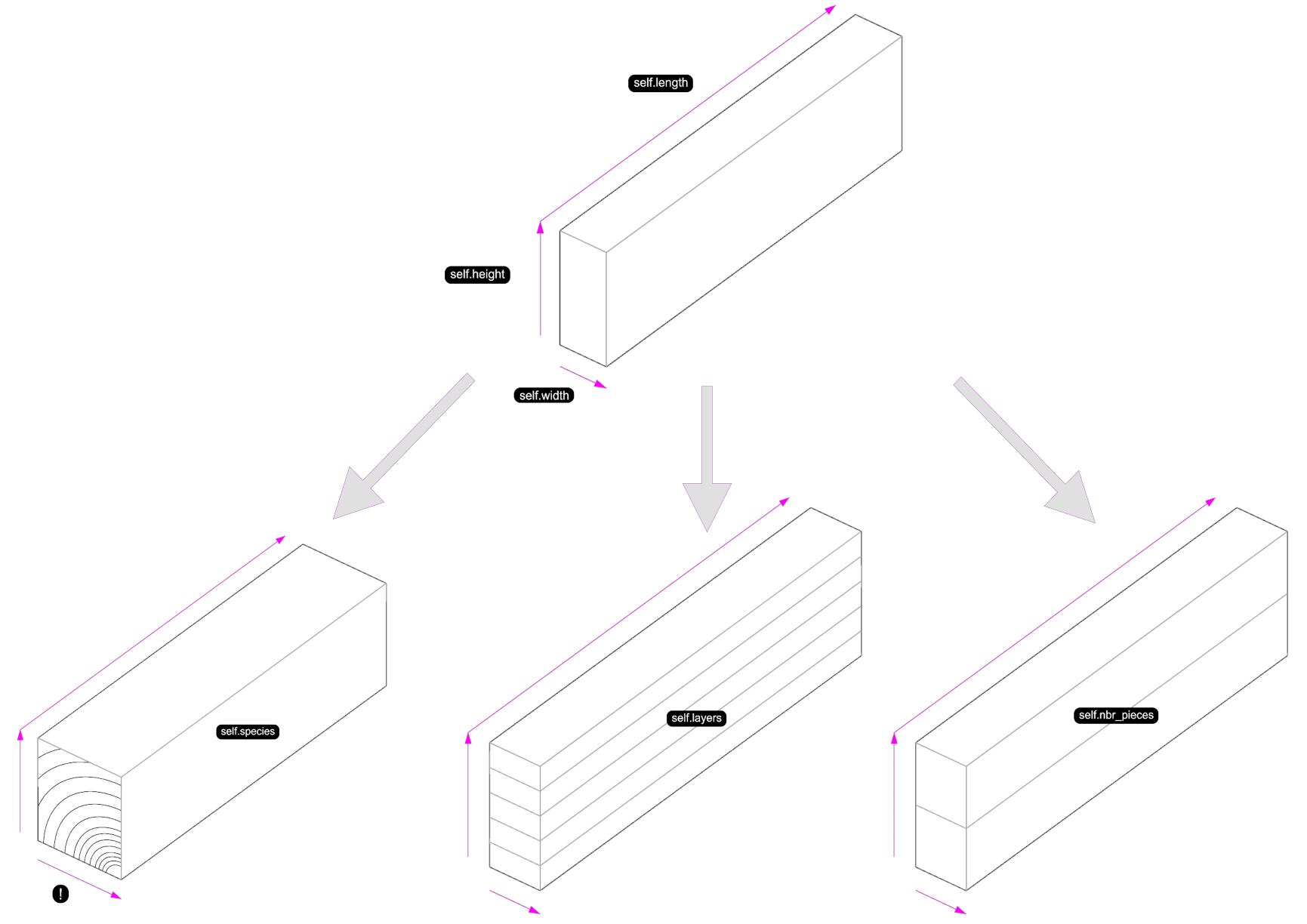
What is inheritance ?- Inheritance is a way to create a new class that reuses the backbones of another class
- The existing class is called superclass and the new class is called subclass
- The subclass inherits all the methods and attributes of the superclass
OOP: Inheritance
Why use inheritance ?OOP: Inheritance
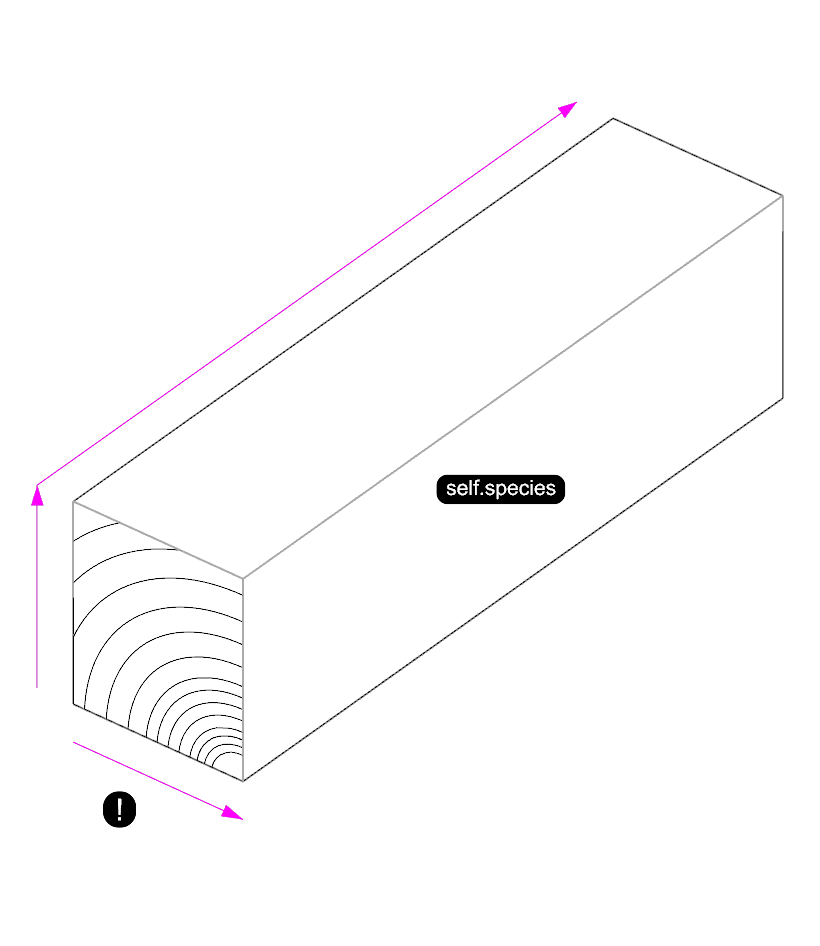
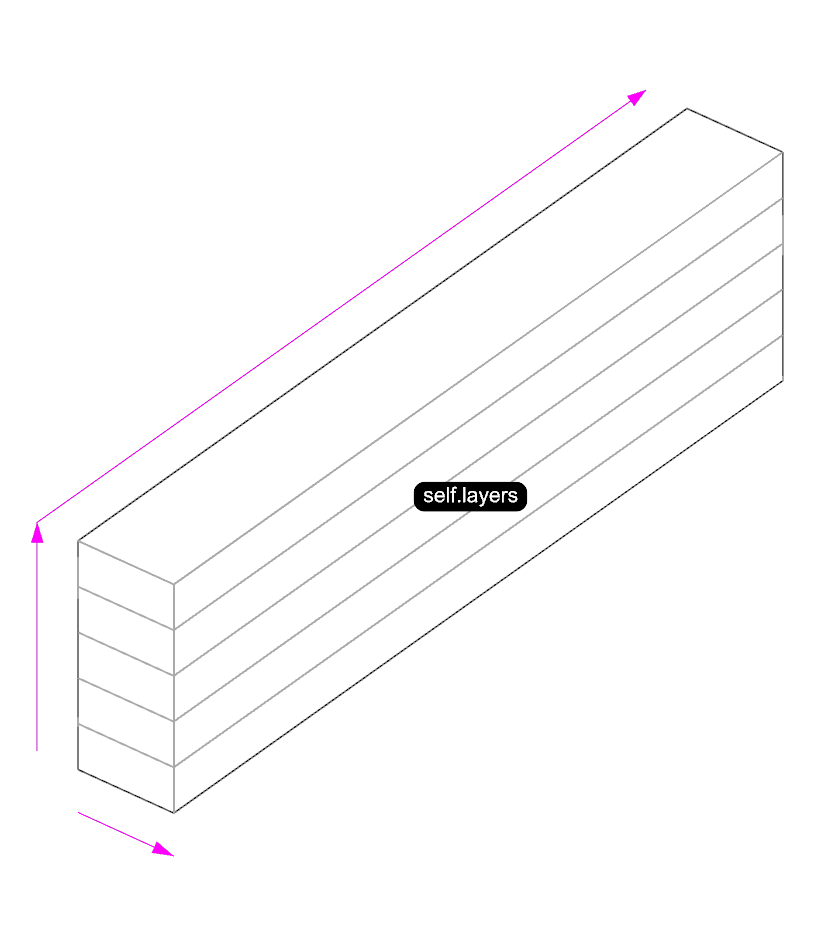
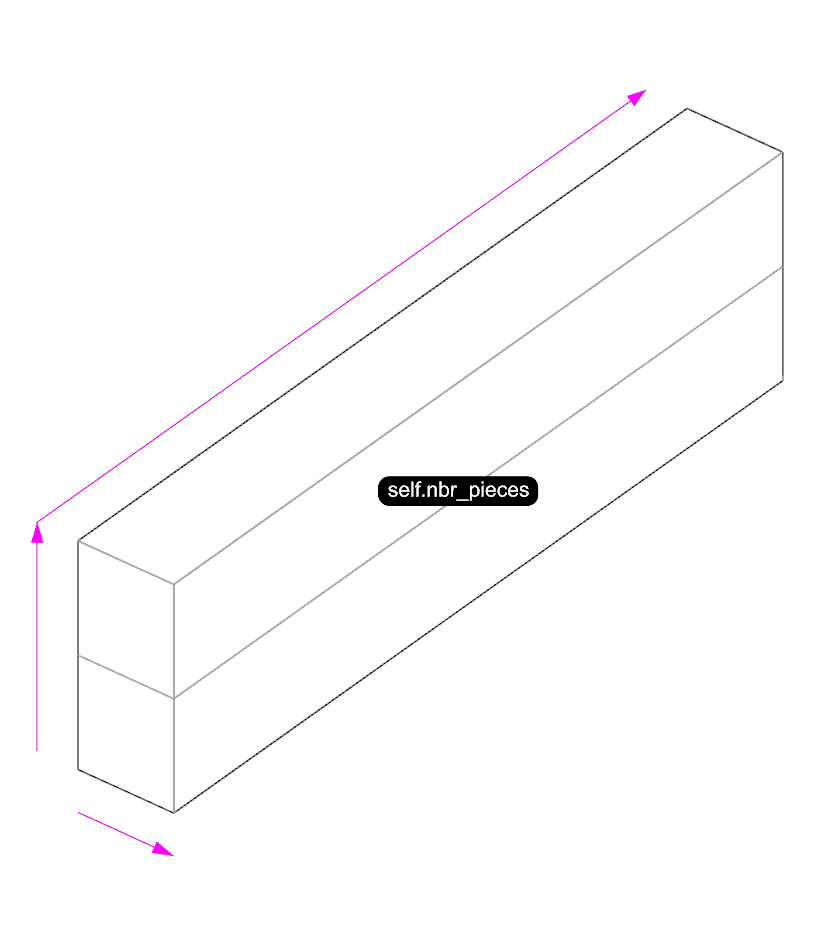
Why use inheritance ?Let's look at the example of beams:
OOP: Inheritance
Why use inheritance ?Let's look at the example of beams: ➡️ different beams, but sharing some characteristics (length, width, height)
OOP: Inheritance
Why use inheritance ?Let's look at the example of beams:
OOP: Inheritance
Why use inheritance ?Let's look at the example of beams:
OOP: Inheritance
Why use inheritance ?Let's look at the example of beams:
OOP: Inheritance
OOP: Inheritance
            class Beam:
                def __init__(self, length, width, height):
                    self.length = length
                    self.width = width
                    self.height = height
                def calculate_volume(self):
                    return self.length * self.width * self.height
OOP: Inheritance
            class Beam:
                def __init__(self, length, width, height):
                    self.length = length
                    self.width = width
                    self.height = height
                def calculate_volume(self):
                    return self.length * self.width * self.height

            class SolidBeam(Beam):
                def __init__(self):
                    super().__init__()
                    sef.n_pieces = 2
OOP: Inheritance
            # The superclass
            class Beam:
                def __init__(self, length, width, height):
                    self.length = length
                    self.width = width
                    self.height = height
                def calculate_volume(self):
                    return self.length * self.width * self.height

            # The subclass
            class SolidBeam(Beam):
                def __init__(self, length, width, height):
                    super().__init__(length, width, height)
                    self.n_pieces = 2

                # Implementation
            my_solid_beam = SolidBeam(3000, 140, 200)
            volume = my_solid_beam.calculate_volume()
OOP: Inheritance
It is also possible to override a method, but should be avoided as much as possible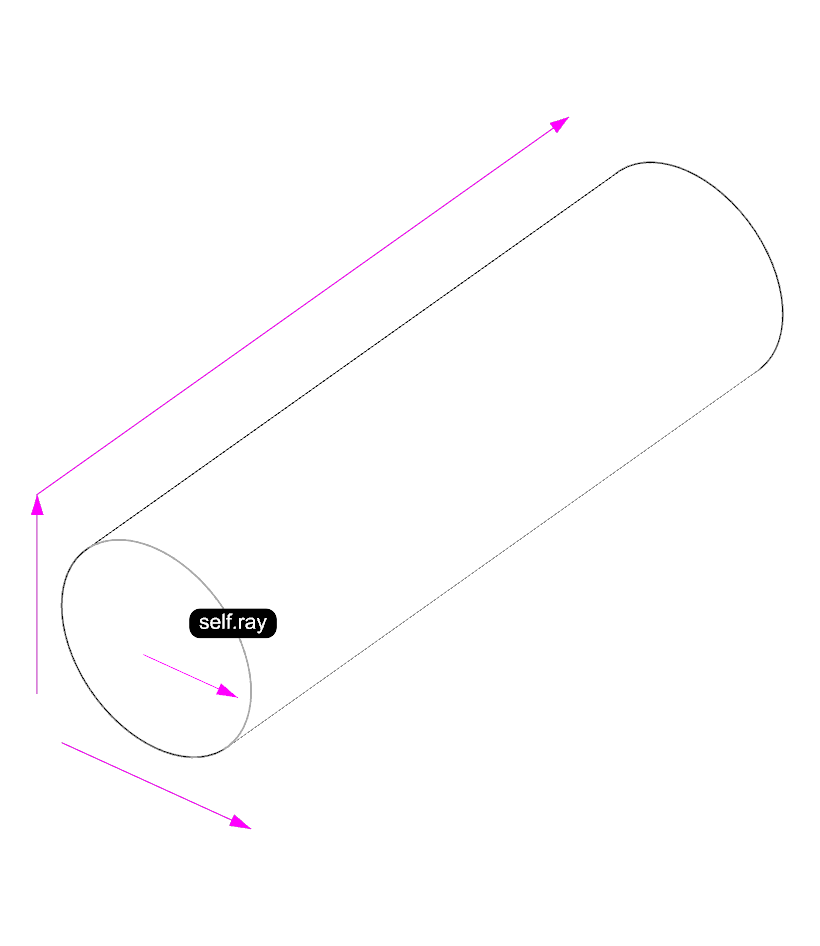
            # The superclass
            class Beam:
                def __init__(self, length, width = None, height = None):
                    self.length = length
                    self.width = width
                    self.height = height

                def calculate_volume(self):
                    return self.length * self.width * self.height
            # The subclass
            class RoundBeam(Beam):
                def __init__(self, length, radius):
                    super().__init__(length=length)
                    self.radius = radius

                def calculate_volume(self):
                    return 3.14 * self.radius ** 2 * self.length

                # Implementation
            my_solid_beam = RoundBeam(length=3000, radius=120)
            print(f"The volume of the round beam is {my_solid_beam.calculate_volume()} cubic mm.")
Exercice: Inheritance
- Open Rhino's Python Editor
- From the website, go to the "oop-inheritance" page and download the exercice 01 at the bottom of the page
- Solve the exercice
That's it for today...

Next week we have the last course on python theory, about modules and libraries